
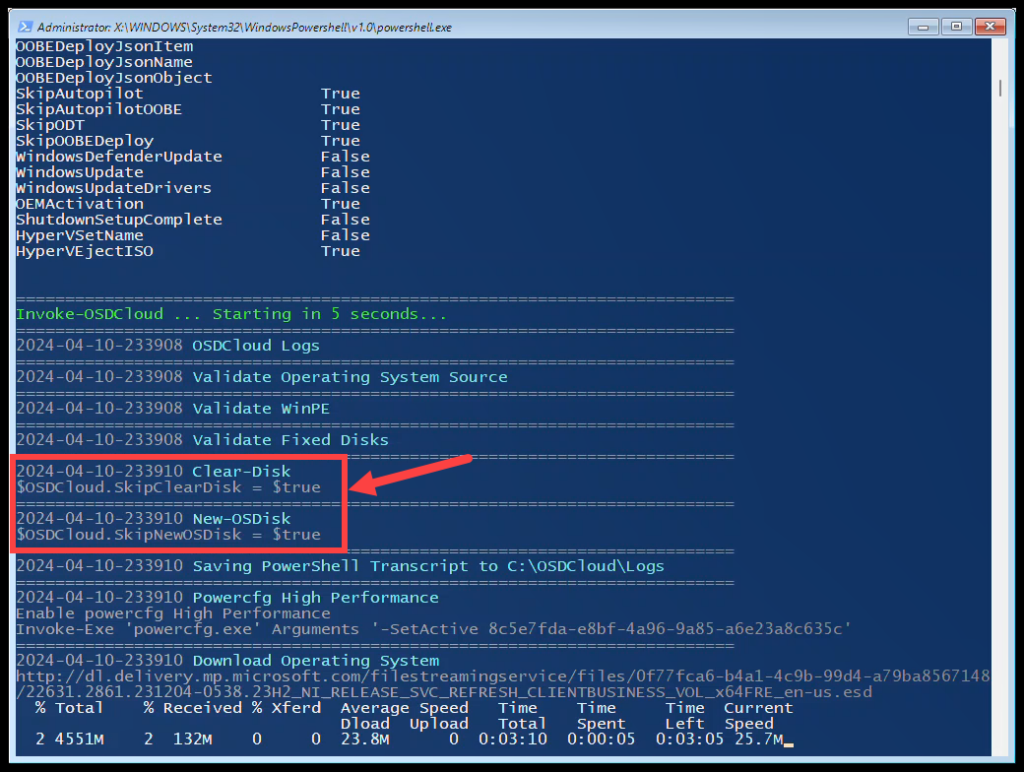

In a previous post I demonstrated how you can set Defaults for OSDCloudGUI
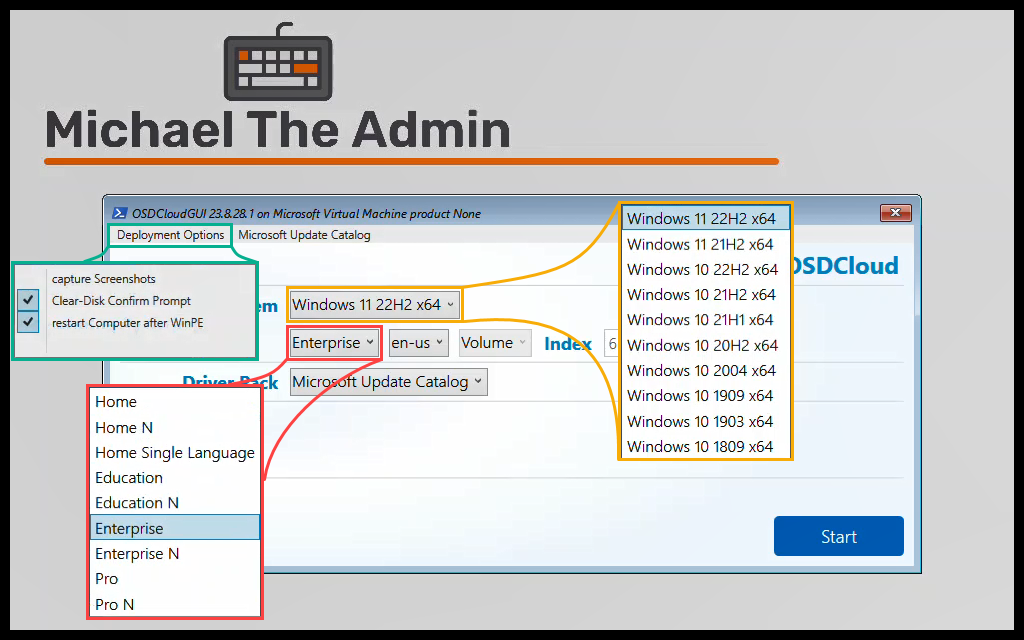
But what if you want to set a Default for a Variable that isn’t available within the $Global:OSDCloudGUI variable to be set?
Use Case #
While troubleshooting why OSDCloud was not working when being executed from my ConfigMgr task sequence, @gwblok suggested to have the TS format the drive and not OSDCloud.
So, I utilized the method Gary used in his own blog post to format the drive.
But at the time I didn’t know how to tell OSDCloudGUI to not Clear or Format the drive.
Quick way #
Within your task sequence, a quick way to do this is to use the $Global:MyOSDCloud variable before the Start-OSDCloudGUI command
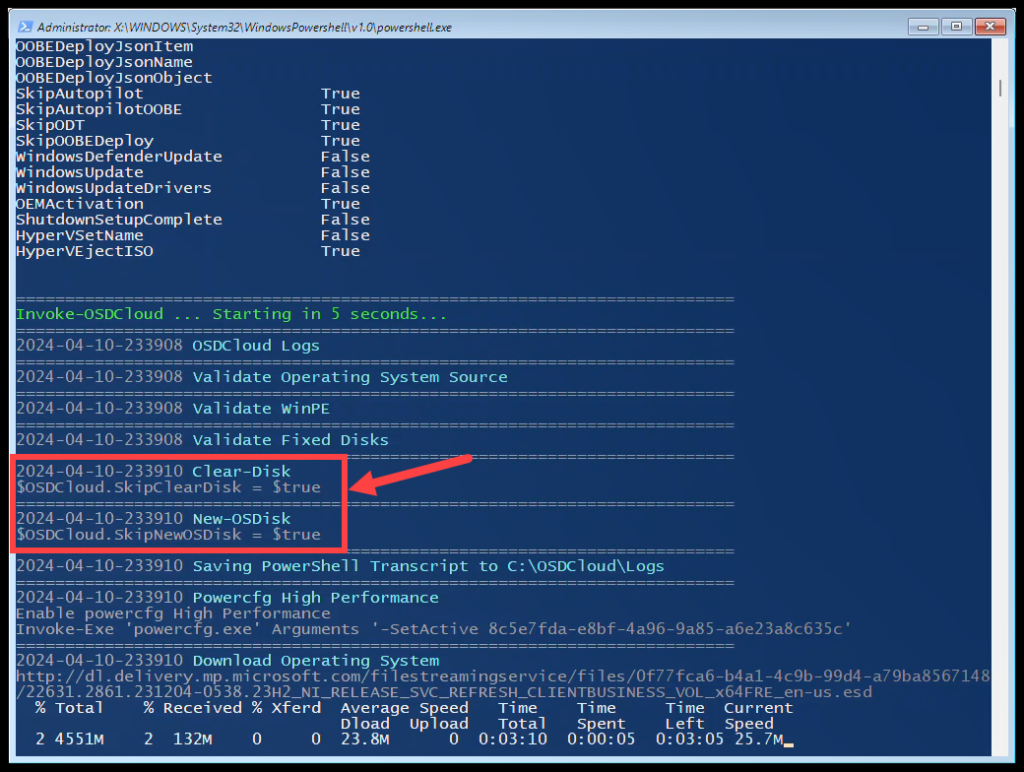
In the below example, I am setting the ‘SkipNewOSDisk’ and ‘SkipClearDisk’ settings.
$Global:MyOSDCloud = @{ SkipNewOSDisk = $true, SkipClearDisk = $true } ; Start-OSDCloudGUI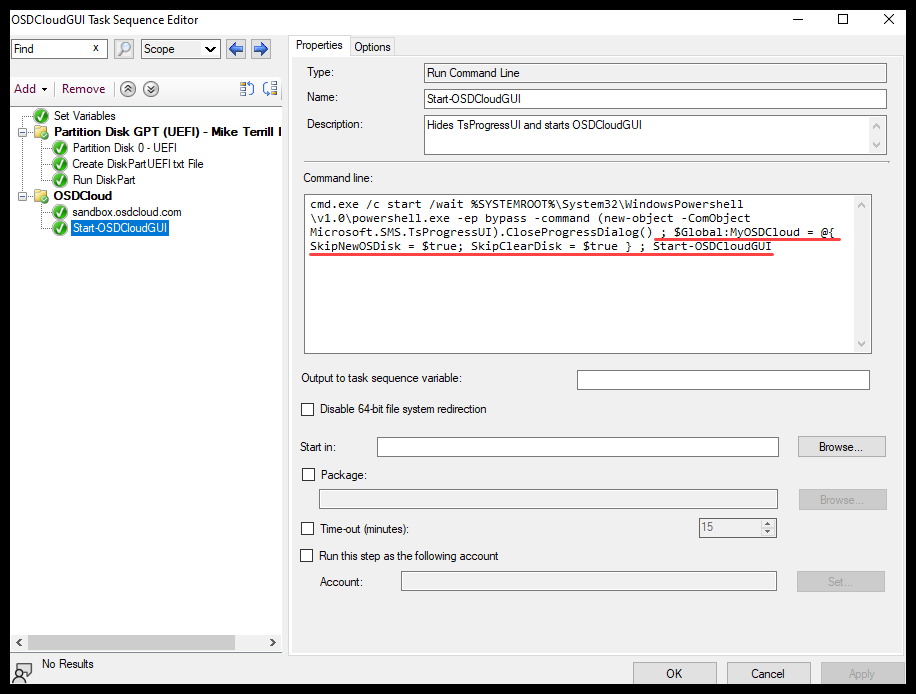
Why does this work? #
The first this that happens in the OSDCloud.ps1 is to Merge all the Global Variables values from the different ways OSDCloud can start.
The last Global variable to be Merged is the $Global:MyOSDCloud. So any Key’s set here with be used.
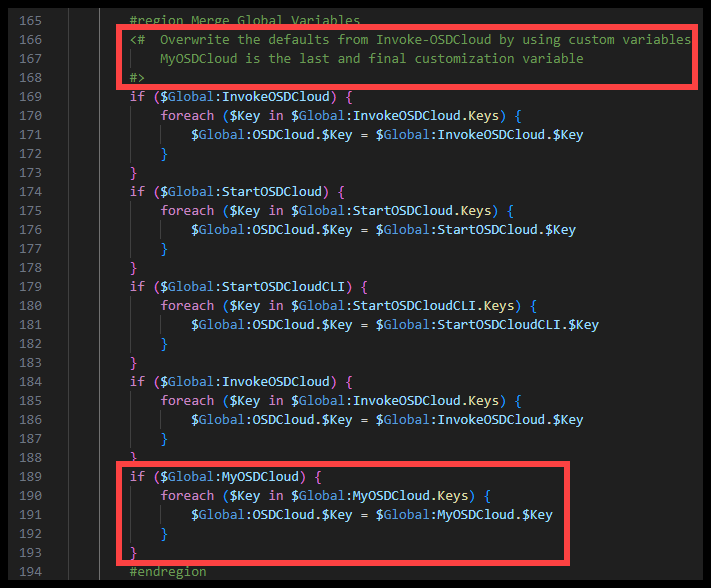
The example I gave in the previous section will result in the below after running OSDCloudGUI
Hopefully this helps someone trying to do something similar. You obviously don’t have to do this within ConfigMgr. You could set the values of the variable in a script that you are calling to run OSDCloud.